How AI Video Generation Works and What Small Teams Should Know Before Trying It

 22 Oct 2026
 Reading Time : 6 Minutes
AI video generation helps small teams create short marketing clips, product visuals, social media posts, and internal explainers without requiring a studio or large production budget. This guide explains text-to-video and image-to-video approaches, common limitations such as short clips and visual glitches, and practical ways to improve results through specific prompts, strong source images, suitable formats, and pre-publication checks. It also highlights the importance of testing commercial usage rights, export quality, platform policies, and human review before publishing.
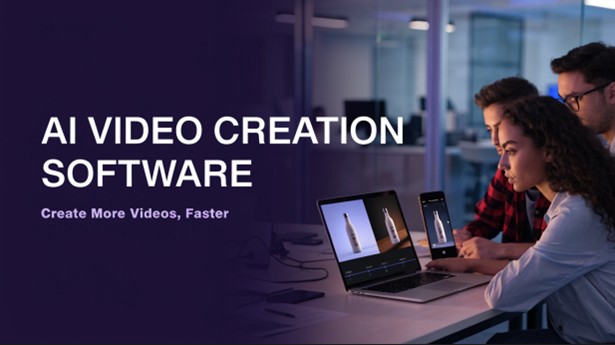
Ask a small business owner why they don’t post more video, and you’ll usually hear the same thing: no time. There are no studio and no editor, and the person in charge of video is probably also running social media and writing emails. A single shoot means scripting, filming, cutting, and then redoing half of it after someone says, “Can we change the intro?” That can be eaten most of the week.
AI video generation looks like an easy way out. It can be in the right situation. But it helps to know what’s happening under the hood and where it tends to fall flat before you build a plan around it.
So, What Is It Actually Doing?
These systems are trained in huge collections of images and video. They don’t copy clips from that library. They learn patterns, like how light falls on a surface, how a hand moves, and what “a rainy street at night” tends to look like, and then they generate new footage from those patterns.
You’ll run into two main approaches.
Text-to-video converts a written description into a short video. The results vary according to how much effort you put in. Search for a coffee shop, and you will find a bland result. It's a small café at sunrise, with steam rising from a cup, a slow camera push-in, and warm light. It's “a small café at sunrise, steam rising from a cup, slow camera push-in, warm light.
Image-to-video is adding motion to a picture that already exists. This is the more feasible choice for smaller groups. You are likely to already have product images, headshots, and campaign graphics in a folder. Using those to animate keeps you looking consistent and avoids the additional expense of a new shoot. Platforms like AIReel offer both approaches in one place, which is handy if you’d rather not juggle several apps.
Where It Actually Earns Its Keep
AI video won’t replace a well-planned brand film. It does handle a handful of everyday jobs nicely.
-
Social posts: Short teasers, announcements, and looping visuals are quick to make, and if one flops, you’ve lost an afternoon rather than a budget.
-
Online stores: A product that gently rotates or sits against a moving background feels more alive than a flat photo.
-
Internal updates: Onboarding visuals and process explainers need to be clear, not cinematic.
-
Testing ideas: Say you’re not sure whether a discount or a new feature makes the better hook. You can make both versions and let the numbers answer.
Notice the pattern: short, visual, and easy to replace. That’s a sweet spot.
The Limits Nobody Mentions in the Ads
Here’s where expectations tend to meet reality.
-
Clips are short: Most tools give you a few seconds at a time. For anything longer, you’ll be stitching clips together in a regular editor.
-
Things drift: The same person or product can look a little different from one clip to the next. If you need a character to stay identical across a sequence, plan on a lot of entries.
-
Text comes out of garbled: Words inside generated footage is often warped or misspelled. Add logos, captions, and prices afterward in an ordinary editing program, where you control every letter.
-
Odd glitches happen: Hands, reflections, and fast-moving objects are common trouble spots. One strange frame can make an otherwise good post look careless, so watch every clip before it goes live.
-
The rules aren’t uniform: Terms of use vary from service to service. Find out whether you can use the output commercially, whether there are limits on showing real people, and whether the platform you’re posting on wants AI-generated content labeled. These policies keep changing, so it’s smart to look every few months again.
Habits That Make the Results Better
Most of the improvement comes from how you work, not from the tool.
-
Be specific in prompts: Cover the subject, setting, lighting, camera movement, and style. Change one detail at a time so you can tell what made the difference.
-
Use strong source images: For image-to-video, a sharp, well-lit picture with a clean background gives the system something solid to animate. If you're new to the process, this guide on how to make an AI video with pictures covers the workflow in more detail.
-
Keep each clip for one idea: It’s easier to get right and easier to polish.
-
Decide where it’ll be posted first: Vertical suits Reels and Shorts, square works in feeds, and widescreen fits websites and YouTube. Generating in the wrong shape and cropping later usually costs you quality.
-
Save prompts that work: After a few weeks, you’ll have your own small library, which saves time and keeps your style steady.
-
Use a quick pre-publish check: Look for glitches, make sure brand colors are right, view them on the phone, and confirm any claims are accurate.
Treat It as One Step, Not the Whole Process
Consider a two-person team that is going through the process of creating a new product. The footage can be created using AI. It has no idea about the wording of the launch message, what customer concerns it should address, or if it has the tone of the brand. Those calls are still the people's calls, as is the final sign-off.
If you do decide to use a service, make sure to take advantage of the free trial correctly. Upload images and use your own ideas. Check if the export resolutions are suitable to your main channels and whether monthly limits or watermarks cause any issues; determine whether the usage rights are clearly specified for commercial content. The feature list doesn't explain half the things that you will find out during an afternoon of testing.
Be realistic with time. Even if the generation is fast, it may take a few attempts to get a clip to look good.
Wrapping Up
AI video is a tool that small teams can use to create short video content without the need for a studio or a massive budget. Best used with very clear inputs, short clips, and a person reviewing all content before publication. Even with long tales, on-screen texts, and consistent characters, it still has trouble.
Knowing where it works and doesn't work and you're able to use it where it's good and not rely on human judgment where it is not. Do not rush into video work, start with actual content, and judge the extent of your video workload by real test results and not marketing.




Subscribe & get all related Blog notification.



Post your comment