
 Write a Review
Get Demo
Users can now use this amazingly designed Softaken Outlook PST Converter tool for the conversion of their Outlook PST files. The application provides users the conversion of their Outlook PST files in the MBOX, EML, EMLX, MSG & VCF formats. It is a comfortable tool for the conversion of your Outlook PST files.
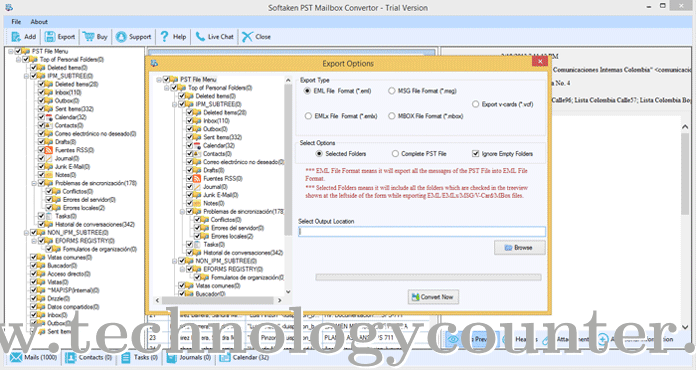
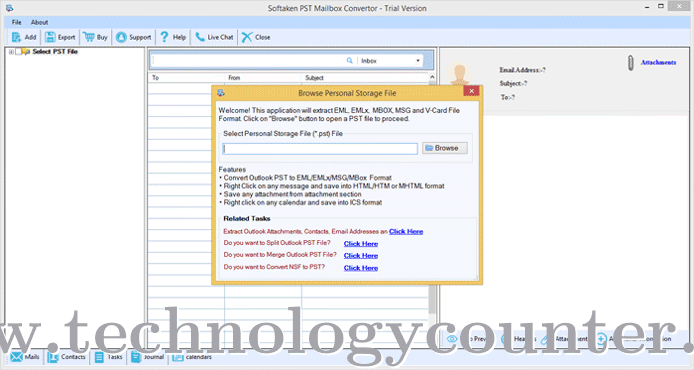
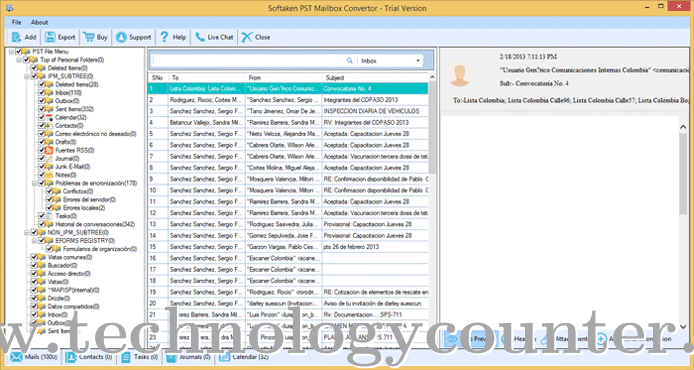
Using this advanced Outlook PST Converter tool, a user will be able to conveniently follow the conversion of the Outlook PST files with full accuracy. Using this application, a healthy result is granted to the users every single time. Any kind of data loss cannot be there while following the conversion of the Outlook PST files. Moreover, the tool is absolutely compatible and hence can be used in any of the Windows Operating System from the new version to the old version. Any kind of hurdle is not there while carrying the conversion of the Outlook PST files. With proper scanning and previewing of the Outlook PST files the conversion process is carried out by the users and the result is granted to the users. Apart from it, the application supports both ANSI as well as UNICODE languages. Maintaining the integrity of the PST files the conversion process is proceeded by this Outlook PST Converter tool. The application arranges the files in the correct order so users are able to carry the reliable conversion of the Outlook PST files. In just a few steps users are able to carry the conversion of their Outlook PST files.

4.5 / 5
Features
4.8 / 5
Ease of Use
4.5 / 5
Value For Money
4.5 / 5
Customer Support

Olivia Middleton
Company Size: 50-249 Employees
5.0
Secure Conversion and Easy Management
What do you like about Softaken Outlook PST Converter?
It securely converts the data without changing the original data.
What you don't like about Softaken Outlook PST Converter?
It is not compatible with the Mac system.
What challenges does Softaken Outlook PST Converter help you to address?
I use PST files in regular tasks, but managing them is a challenging process, and these files are totally dependent on Outlook. I was looking for an independent format that works with almost all email clients and is effective. After thinking and researching, I chose to convert my PST files into EML format. For conversion, I used an automated tool, the Softakensoftware Outlook PST Converter. This converter smoothly performed the conversion and did not lose any data. I liked its high performance and good results, and I would really like to recommend this tool to users who want effective and secure conversions.
What benefits did you experience while using Softaken Outlook PST Converter?
Great quality data after conversion, effective and easy management with this tool.
What is your advice to people looking out to buy Softaken Outlook PST Converter?
If you are looking for graet and effective tool for conversion then just go for it.
Damian Cooper
Company Size: 10-49 Employees
4.5
Fast and Effective Conversion Tool
What do you like about Softaken Outlook PST Converter?
Quick speed, saved me a lot of time
What you don't like about Softaken Outlook PST Converter?
Limited Customization
What challenges does Softaken Outlook PST Converter help you to address?
Conversion of heavy Outlook Mailbox PST files
What benefits did you experience while using Softaken Outlook PST Converter?
The software handled the files correctly and saved accurately
What is your advice to people looking out to buy Softaken Outlook PST Converter?
I highly recommend this tool
The top 5 features of Softaken Outlook PST Converter include:
Softaken Outlook PST Converter serves a wide range of businesses including Freelancers, Startups, SMEs, Agencies, Enterprises.
Softaken Outlook PST Converter is compatible with multiple platforms, Windows
The top three competitors of Softaken Outlook PST Converter are WholeClear MBOX to IMAP Converter, WholeClear EML to IMAP Converter and WholeClear PST to IMAP Converter. To find the best fit for your business, compare and evaluate each platform's features, advantages, disadvantages, and other key aspects.
Yes, Softaken Outlook PST Converter offers a trial option, allowing you to test its features and functionality before committing. This trial access helps you assess how well the software meets your specific needs and ensures it’s a good fit for your business.