Write a Review
Get Demo
Catch 3D model errors before they cost you time and money.
Drop any GLB, STL, OBJ, or USDZ file to instantly spot broken normals, non-manifold edges, thin walls, and oversized textures. Get an actionable readiness score and one-click repairs
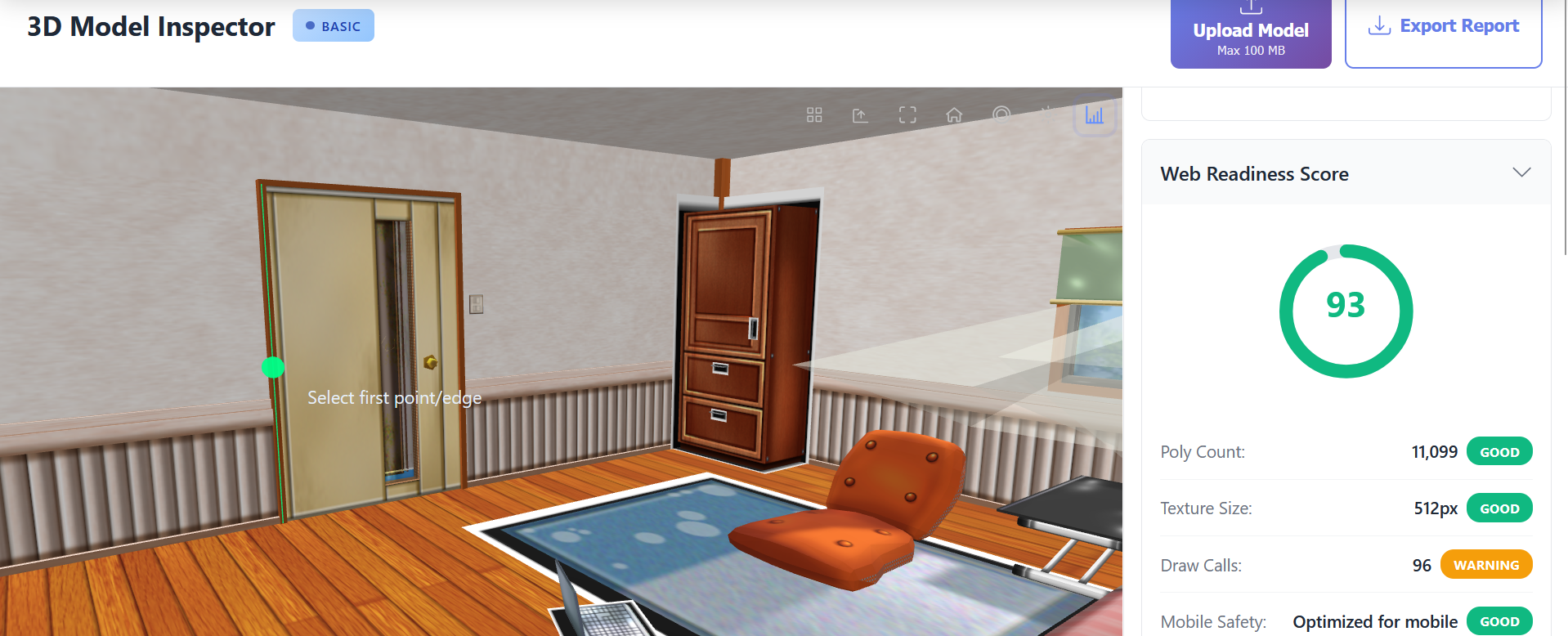
3D Model Inspector is a comprehensive browser-based validation tool for analyzing and optimizing 3D assets. It delivers instant geometry analysis, error detection, and web readiness scoring without uploads or installs. Whether you're preparing models for game engines, validating STL files for 3D printing, or optimizing assets for WebGL delivery, the inspector provides the actionable data you need to ship with confidence.
The geometry analysis system goes beyond simple polygon counting. You get detailed breakdowns of vertices, faces, edges, bounding box dimensions, and volume calculations — computed in real-time as you load the model. These metrics help you understand complexity at a glance, spot optimization opportunities, and plan LOD or mesh simplification strategies that meet mobile and headset budgets.

Be the first to leave a review for 3D Model Inspector
Write a ReviewThe top 5 features of 3D Model Inspector include:
3D Model Inspector serves a wide range of businesses including Freelancers, Startups.
3D Model Inspector is compatible with multiple platforms, Web App
The top three competitors of 3D Model Inspector are 3D Slash, Lumion and Mudbox. To find the best fit for your business, compare and evaluate each platform's features, advantages, disadvantages, and other key aspects.
Yes, 3D Model Inspector offers a trial option, allowing you to test its features and functionality before committing. This trial access helps you assess how well the software meets your specific needs and ensures it’s a good fit for your business.