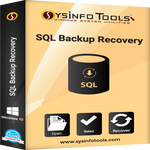
SysInfos SQL Backup Recovery
 Write a Review
Get Demo
Get Demo
Write a Review
SQL Server backup recovery tool by Sysinfotools successfully repair SQL backup so that you can restore your data from it with no hassle. It recovers all database objects like tables, views, procedures, triggers, functions, columns, etc. effortlessly.
.png "SysInfos SQL Backup Recovery Screenshots")
SQL Backup Recovery software by SysinfoTools can successfully repair SQL backup without any hassle. You can recover database objects like tables, views, procedures, triggers, functions, columns, etc. The utility allows repair and recovery of lost or corrupt MDF and LDF files. Support SQL data recovery from split backup (.bak) files. For this, you need to select “Split Backup File(s)” option for SQL data recovery.In this option, you need to select all the parts of the main backup (.bak) file. The tool also provides support for SQL data recovery from compressed backup (.bak) files in the system. Two different scanning modes are offered for different modes of scanning such as Standard and Advanced. Standard mode handles minor corruption and Advanced Mode offers severe corruption issues. The SQL Recovery tool provides Auto-display of the information of SQL Server backup. The tool offers Smart preview of the files contained in the SQL Server backup. Users can save the recovered files at the user-defined location in an easy manner. This utility successfully restore all three file types stored in the SQL Server backup, i.e. MDF (primary database), NDF (secondary database), and LDF (transaction log file). Compatible with all major Windows-based operating systems and Microsoft SQL Server 2005, 2008, 2008 R2, 2012, 2014, 2016, and the latest 2017.

Be the first to leave a review for SysInfos SQL Backup Recovery
SysInfos SQL Backup Recovery serves a wide range of businesses including Freelancers, Startups, SMEs, Agencies, Enterprises.
SysInfos SQL Backup Recovery is compatible with multiple platforms, Windows
The top three competitors of SysInfos SQL Backup Recovery are vMail OST to PST Converter, vMail OLM to PST Converter and Shoviv Office 365 to PST Converter. To find the best fit for your business, compare and evaluate each platform's features, advantages, disadvantages, and other key aspects.
Yes, SysInfos SQL Backup Recovery offers a trial option, allowing you to test its features and functionality before committing. This trial access helps you assess how well the software meets your specific needs and ensures it’s a good fit for your business.