 Write a Review
Get Demo
Dropbox Sign is a digital signature platform that is revolutionizing the way businesses and individuals handle important documents. With its user-friendly interface technology, Dropbox Sign makes it easy to sign, send, and manage contracts and agreements from anywhere, at any time. Say goodbye to traditional pen and paper signing and hello to the future of document handling with Dropbox Sign.

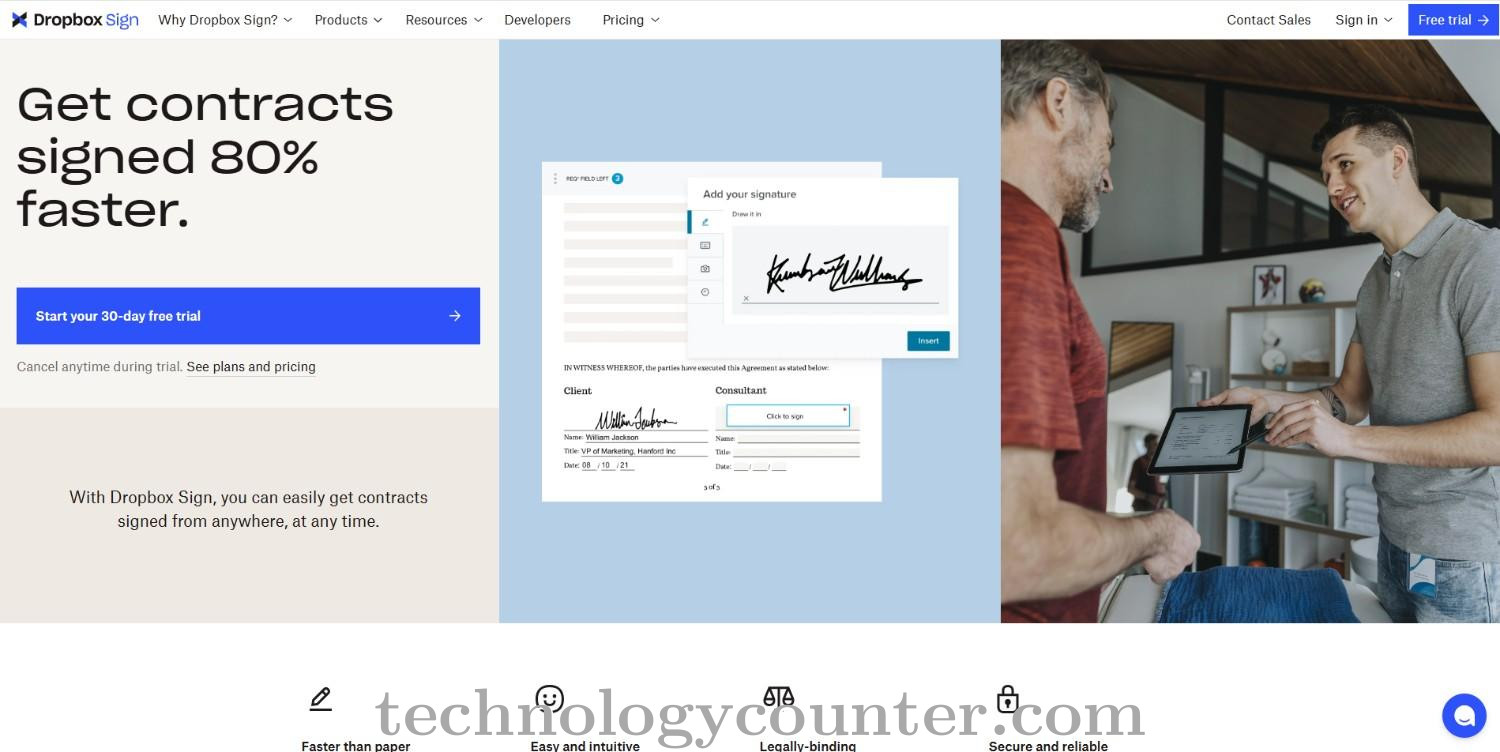
Dropbox Sign is a prominent digital signature software that streamlines, secures, and speeds up the process of transmitting, signing, and managing legally binding agreements for organizations of all kinds. Dropbox Sign's easy interface and mobile-friendly design allow users to upload documents, set signature fields, and send them for signing with drag-and-drop ease, delivering a consistent experience across devices and platforms.
Dropbox Sign's automated reminders, real-time tracking, and audit trails ensure compliance and give proof of document access, review, and signing, making it a reliable solution for businesses looking for efficiency and regulatory adherence.
The platform includes advanced capabilities such as 40+ legal templates, saved signatures for recurring workflows, and compliance-ready signature information with all paid subscriptions, allowing enterprises to satisfy severe regulatory standards at no additional expense.
Dropbox Sign seamlessly integrates with popular tools such as Dropbox, Salesforce, Slack, and Microsoft OneDrive, streamlining agreement workflows and allowing teams to manage signatures from within their existing ecosystems.
Dropbox Sign continues to evolve, with planned features such as global data residency and SMS delivery in Salesforce, allowing businesses to close deals faster, eliminate manual work, and maintain compliance at scale.

Be the first to leave a review for Dropbox Sign
Write a ReviewThe top 5 features of Dropbox Sign include:
Dropbox Sign serves a wide range of businesses including StartUps, SMEs, Enterprises.
Dropbox Sign is compatible with multiple platforms, No, IOS , Android
The top three competitors of Dropbox Sign are KONSIGN, Sign.cc and Adobe Sign. To find the best fit for your business, compare and evaluate each platform's features, advantages, disadvantages, and other key aspects.
Yes, Dropbox Sign offers a trial option, allowing you to test its features and functionality before committing. This trial access helps you assess how well the software meets your specific needs and ensures it’s a good fit for your business.